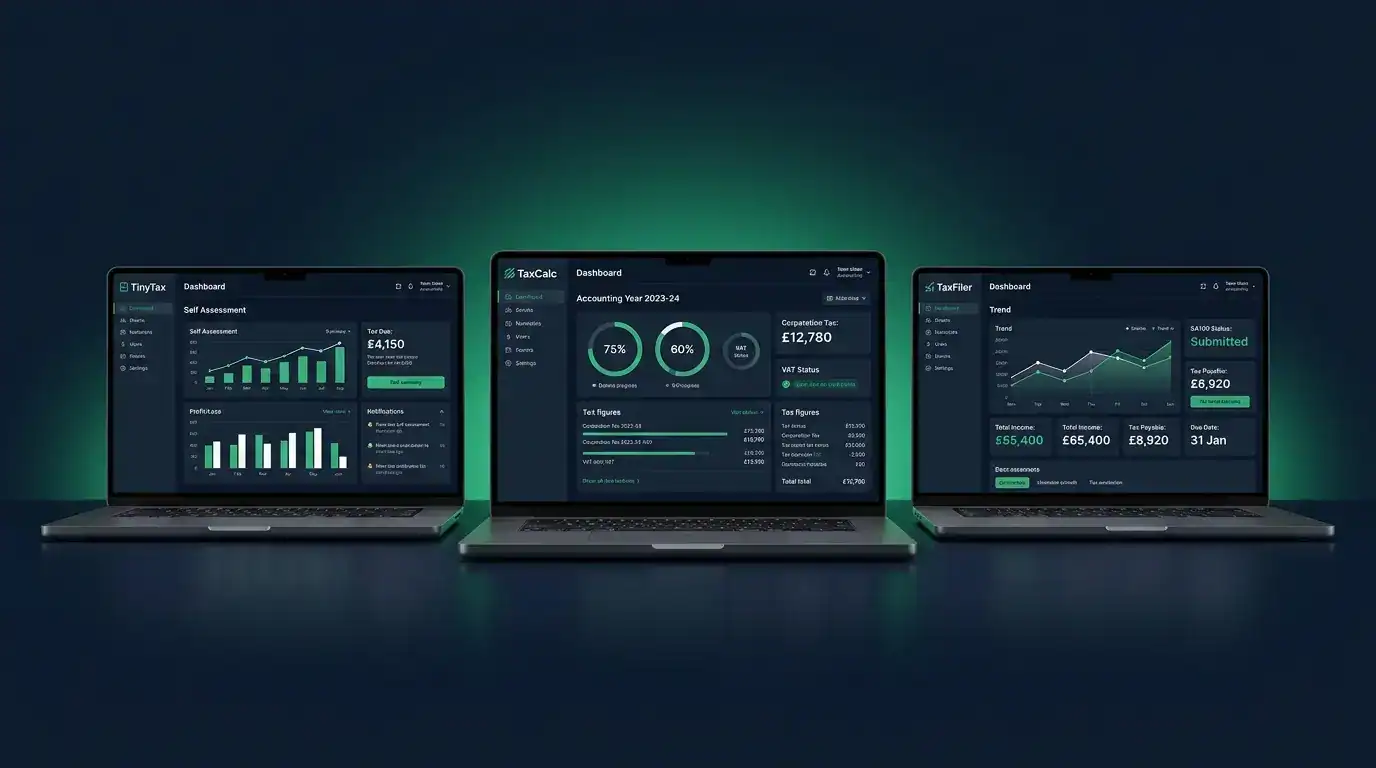
TinyTax is the best corporation tax software for UK businesses run by a sole director, at £59 a year to file your CT600 and Companies House accounts in one step. TaxCalc suits companies with more complex affairs, and IRIS Elements is aimed at accountancy practices rather than self-filing directors. Every price in this guide was reverified at source in July 2026 for the 2026/27 tax year.
Top pick
TinyTax
Corporation Tax Filing Software
Built for small UK limited companies, no accountant required. If you run a sole-director Ltd company, you can file your CT600 to HMRC and your accounts to Companies House in one process, with over 1,000 companies already filed through the platform.
£59+ VAT/year, Solo plan
Table of contents(10 sections)
- Do you need software, or should you hire an accountant?
- HMRC’s free filing service has closed
- How we assessed these tools
- TinyTax: best for sole-director limited companies
- TaxCalc: best for complex company returns
- TaxFiler / IRIS Elements: for practices, not directors
- Head-to-head: which one fits your company
- Alternatives worth a look
- Verdict
- Frequently asked questions
Do you need software, or should you hire an accountant?
You can almost certainly file your own corporation tax return if your company is straightforward: one director, trading income, no employees other than yourself, no R&D claims, no group structures. HMRC estimates that over 200,000 company directors file their own returns each year. It is not as complicated as it sounds.
Every UK limited company must file a CT600 corporation tax return with HMRC each year, and since 1 April 2026 that has meant using commercial software. The software handles the calculations: you enter your figures, it works out your liability, generates your accounts in the format HMRC requires, and submits everything directly. The rates it applies for 2026/27 are unchanged: 19% on profits up to £50,000, 25% above £250,000, with marginal relief in between.
The main preparation work is having clean records of your income and expenses. Decent invoicing software keeps the income side tidy, and a receipt scanner app does the same for expenses, which makes the year-end filing far quicker.
An accountant is still worth paying for if your situation is more complex: you have staff on payroll, a loss you want to carry back, capital allowances on expensive plant, or profits approaching the £250,000 main rate threshold. In those cases a decent accountant more than pays for themselves. For a plumber, electrician, or builder running a straightforward sole-director Ltd, the software below is all you need.
HMRC’s free filing service has closed
HMRC’s free online filing service closed permanently on 31 March 2026. Every company that used it must now file through commercial software, and the old service can no longer be used to view or download past returns either.
HMRC advised companies to download their last three years of filed returns before the closure. If you missed that window, you will need to contact HMRC for copies of past submissions. Helpfully, some tools can retrieve your prior year figures from HMRC directly, which we cover below.
How we assessed these tools
The three tools reviewed here are the ones most commonly recommended for small UK limited companies filing their own returns. We assessed them on five criteria: how easy they are to use without accounting training, whether they handle the CT600 and Companies House accounts in one place, whether they file directly to HMRC, pricing and value for a single-company owner, and whether they are actively supported for the 2026/27 tax year.
One of these products, TaxFiler, no longer exists as a standalone tool. We cover what happened to it and what replaced it below. All prices were checked on each provider’s own website in July 2026.
TinyTax: best for sole-director limited companies
Overview
TinyTax is a web-based platform built specifically for UK micro-entity limited companies. One subscription covers both your CT600 to HMRC and your iXBRL statutory accounts to Companies House, filed in a single process. There is no separate accounts product to buy.
It is aimed squarely at company directors filing their own returns, not at accountants managing dozens of clients, although practice plans now exist too. The interface uses plain English throughout and guides you step by step. Over 1,000 companies have now filed through the platform.
Key features
TinyTax pulls your company details automatically from Companies House, so you are not re-entering information you have already registered. You enter your profit and loss figures and balance sheet totals, and it calculates your corporation tax automatically, including marginal relief if your profits fall between £50,000 and £250,000.
You can import a trial balance from your bookkeeping software using a CSV file, or let the built-in AI tool map it to the correct fields for you. There is now a direct Xero integration as well. TinyTax also fetches your prior year data from HMRC, which matters more than ever now the free HMRC service is gone: if you are switching, you are not starting from scratch.
The platform has expanded well beyond the CT600 since we first reviewed it. It now offers MTD VAT filing, Self Assessment, and confirmation statement filing with the £50 Companies House fee included in the price. For a sole director, that puts most of your annual filing obligations in one place.
Pricing
TinyTax charges annually, with no monthly subscription and no per-filing charge on top. Dormant companies pay £20 a year, the Solo plan for one trading company is £59 a year, and Portfolio covers two to three companies for £99 a year with unlimited team members. Practice plans scale from £189 a year for 12 companies up to £999 for 1,000. All prices exclude VAT.
You can prepare and preview your CT600 and accounts for free. You only pay when you file.
Pros and cons
The case for TinyTax is simple. It is the lowest-cost option for a single trading company at £59 a year, it handles the CT600 and Companies House accounts in one workflow with no accounting jargon, it pulls prior year data from HMRC, and it is fully web-based with nothing to install. The free-to-prepare model means you can see your full return and tax calculation before spending anything.
The limits are deliberate. It only supports micro-entity companies: turnover under £1m, balance sheet under £500,000, fewer than 10 employees, and you must meet at least two of the three in both the current and prior year. It does not support R&D credits, complex director’s loan treatments, or group structures, and it produces FRS 105 micro-entity accounts only, not full FRS 102. It is also a newer product than TaxCalc, though the 1,000-plus companies filed gives it a growing track record.
Who it suits
Any sole-director limited company in the trades that meets the micro-entity thresholds and has a straightforward set of accounts. If you are a plumber or electrician paying yourself a small salary with dividends and no employees, TinyTax is almost certainly all you need.
TaxCalc: best for complex company returns
Overview
TaxCalc has been a fixture in UK tax software for over 20 years. It started out aimed at accountancy practices and has grown into a comprehensive suite covering personal tax, partnership tax, corporation tax, VAT, and accounts production. It remains widely used by small accountancy firms across the UK.
It is substantially more capable than TinyTax, and substantially more complex. The interface assumes some familiarity with tax returns and accounting concepts.
Key features
TaxCalc covers all CT600 supplementary pages, including those for R&D credits, loans to participators, group relief, and creative industries reliefs. If your company has anything unusual going on, TaxCalc can handle it where TinyTax cannot.
It offers two entry modes: a guided step-by-step questionnaire, or direct form entry mirroring the HMRC forms. A Check and Finish tool validates your return before submission. You can also prepare returns for directors and family members in the same product, which is useful if you already do your own Self Assessment.
TaxCalc is desktop software that runs on Windows, Mac, and Linux, installable on up to two computers. Your accounts must be attached in iXBRL format: you can produce them in TaxCalc’s separate Accounts Production module or attach files from another package.
Pricing
TaxCalc Limited Company starts from £142 a year, now published directly on the TaxCalc website. Accounts production is a separate module at additional cost, and the licence is an annual purchase because the software is redeveloped each year for new rates and rules. Your licence remains valid for accessing returns from tax years you have already purchased.
Pros and cons
TaxCalc’s strengths are comprehensiveness and pedigree: every CT600 supplementary page, 20-plus years of development, trust from UK accountants, and solid validation before submission. It covers company situations TinyTax simply refuses to touch.
Against that, it costs more than twice as much as TinyTax for a simple sole-director Ltd once you factor in accounts production, the interface has a steeper learning curve, and desktop software means installation and annual updates. Most trade businesses will never use the majority of its features.
Who it suits
A limited company with more complex affairs: multiple directors, significant capital allowances, R&D claims, or group structures. Also anyone who already uses TaxCalc for their personal tax return and wants everything in one place.
TaxFiler / IRIS Elements: for practices, not directors
What happened to TaxFiler?
TaxFiler is no longer available. IRIS, which acquired TaxFiler in 2018, shut the product down in April 2025 and migrated all accounts to IRIS Elements, its cloud-based compliance platform. If you search for TaxFiler now, you land on IRIS’s website.
This matters because TaxFiler had a strong reputation as an affordable, user-friendly option for small practices and sole directors. IRIS Elements covers the same ground but is a different product with a different focus.
What is IRIS Elements?
IRIS Elements is a cloud-based accountancy platform aimed at accountancy practices, not individual company directors filing their own returns. It covers corporation tax, personal tax, accounts production, VAT, and practice management, and it is designed for firms managing multiple clients.
Pricing
IRIS now publishes pricing, which is an improvement on the quote-only approach it took at launch. IRIS Elements Tax Essentials starts at £116.18 per user a year on a 12-month contract, and Tax Professional at £174.66. The catch for a sole director is the minimums: the entry price covers up to five clients, and you pay it even if you only have one company. A 30-day free trial is available.
Pros and cons
IRIS Elements covers the full range of tax and accounts needs, is accessible from any device, and is regularly updated to keep pace with HMRC changes. Pricing is clearer than it used to be.
But TaxFiler no longer exists, and if you liked TaxFiler this is a different product. It is built around multi-client practice workflows, former TaxFiler users gave the migration mixed reviews, and paying a five-client minimum to file one return makes little sense. It is overkill for a sole-director trade business.
Who it suits
Accountancy practices, and directors whose accountant files on their behalf through it. For a self-filing director in the trades, it is unlikely to be the right fit.
| Tool | Price | CT600 + accounts in one price | Best for |
|---|---|---|---|
| TinyTax Top pick | £59/yr + VAT | ✓ Yes | Sole-director micro-entity Ltd companies |
| TaxCalc | From £142/yr | ✗ Accounts module extra | Complex companies, R&D and group relief |
| IRIS Elements | From £116.18/user/yr (5-client minimum) | ✓ Yes | Accountancy practices, not sole directors |
Head-to-head: which one fits your company
TinyTax vs TaxCalc is the comparison that matters for most readers, and it comes down to complexity. TinyTax wins on price, simplicity, and having accounts filing included, but it caps out at micro-entity companies with plain affairs. The moment you need R&D credits, group relief, or full FRS 102 accounts, TaxCalc is the one that can actually file your return.
TinyTax vs IRIS Elements is barely a contest for a sole director. IRIS’s entry price of £116.18 covers five clients whether you have them or not, so you would pay roughly double TinyTax’s £59 for capacity you cannot use. IRIS only makes sense when a practice is spreading that cost across a client list.
TaxCalc vs IRIS Elements is really a question of how you like to work. TaxCalc is desktop software with a perpetual licence for purchased years, while IRIS is cloud-based with per-user subscriptions. Both are practice-grade, but TaxCalc’s published £142 entry point is easier for an individual company to swallow than IRIS’s per-user minimums.
On total cost for a single straightforward company, the order is clear: TinyTax at £59 including accounts, IRIS Elements from £116.18 with unused client capacity, then TaxCalc from £142 plus its accounts module. Only TinyTax and IRIS include Companies House accounts in the headline price.
Alternatives worth a look
The three tools above cover most situations, but they are not the only options for filing a CT600. A few others come up regularly and deserve a mention.
Taxpipe charges £59 per filing and targets the same self-filing director as TinyTax, using a guided wizard that asks plain-English questions instead of showing HMRC box numbers. The per-filing model works out similar to TinyTax for one company a year, but check whether accounts filing to Companies House is included for your case before committing.
EasyDigitalFiling is a long-standing self-file option for micro companies, frequently recommended on small business forums. It is template-driven rather than guided, so it suits someone comfortable working closer to the raw CT600 form.
The other alternative is not software at all: keep clean books all year and pay an accountant just for the year-end filing. Many small firms charge £300 to £600 for a simple company return, which buys you someone to blame if it goes wrong. It is the sensible route if your accounts have anything unusual in them.
Promotion
Filing your own CT600 saves a few hundred pounds a year. A website that brings in work pays for itself faster than that. Trader Launch builds websites for UK tradespeople from £495 setup and £150 a month. Get a free quote.
Verdict
For a sole-director limited company in the trades with a straightforward set of accounts, TinyTax is the clear recommendation. It is the cheapest option at £59 a year, it was designed for exactly your situation, and it now bundles MTD VAT, Self Assessment, and confirmation statement filing alongside the CT600 and accounts. You can prepare everything free and only pay when you file.
TaxCalc, from £142 a year, is worth the extra if your company has genuinely complex needs: R&D credits, loans to participators, associated companies, or an existing TaxCalc personal return you want everything integrated with. Budget for the separate accounts module and some learning time.
IRIS Elements replaced TaxFiler but is priced and built for practices, with a five-client minimum that makes no sense for one company. Unless your accountant uses it on your behalf, look elsewhere. And with HMRC’s free service now closed for good, the decision is no longer whether to buy software, just which one.
Frequently asked questions
Can I file my own corporation tax return without an accountant?
Yes. HMRC does not require an accountant to prepare or submit a CT600, and over 200,000 UK directors file their own returns each year. If your company is a straightforward sole-director business with no R&D claims, payroll, or group structures, software like TinyTax handles the calculations and files directly to HMRC.
What replaced HMRC's free Corporation Tax filing service?
Nothing free from HMRC. The service closed permanently on 31 March 2026, and all companies must now file their CT600 and accounts through commercial software. The cheapest recognised options for a single trading company start at around £59 a year.
How much does corporation tax software cost in the UK?
For a single trading company, TinyTax charges £59 a year plus VAT including Companies House accounts filing. TaxCalc starts from £142 a year with accounts production extra, and IRIS Elements starts at £116.18 per user a year with a five-client minimum. Dormant companies can file with TinyTax for £20 a year.
Does corporation tax software also file my accounts to Companies House?
Not always, so check before buying. TinyTax and IRIS Elements include iXBRL accounts filing to Companies House in one price. TaxCalc requires either its separate Accounts Production module or accounts produced in another package and attached to the return.
Whichever tool you pick, the free-preview options mean you can see your full return before spending a penny. That makes trying the simplest option first a low-risk way to find out whether you need anything more.
